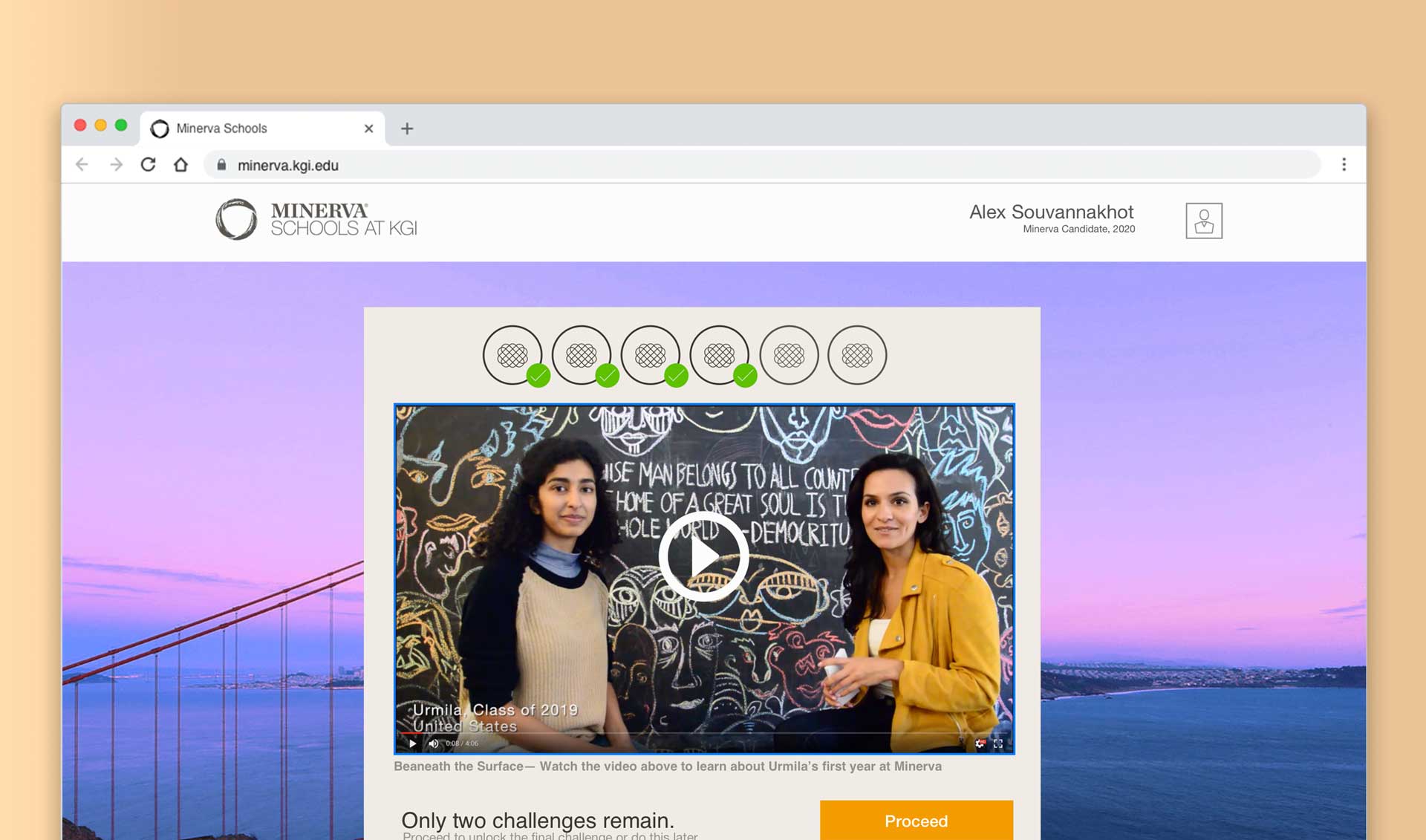
Video conferencing web app
How might we transform the crowded lecture hall into small seminars of active learning?
The Minerva Project, 2019

Overview
I led product design for Minerva's Schools team in San Francisco. My team was responsible for a new online classroom experience for small seminar universities that focused on real-time discussion, debate, and collaboration.
In summer of 2019, the company set out to license software to universities all over the world. To do this we redesigned the intimate learning experience we built for small seminars so that it could scale up to accommodate much larger class sizes of up to 400 students.
Role: I led product design as individual contributor.
Team: Myself as product designer, 2 PMs and 6 developers. Worked closely with second team with another lead product designer, 2 PMs and 8 developers.
Why solve this problem?
Pain points
There were a number of problems with the status quo at large universities that might be improved by switching to Minerva's online classes.
Tuition costs have skyrocketed and many students graduate with debt.
Most university classes were overcrowded and this contributed to poor learning outcomes for students.
Opportunity
With Minerva's software, faculty could teach from anywhere in the world and students could take classes in computer labs, dorm rooms, or at home. All of this might help universities provide higher quality education, cut the costs and more affordably recruit and retain top teaching talent.
For Minerva, this was an opportunity for the company to extend their classroom software as a service to a much larger, international market.
What we already knew
Minerva's tools had been tested in university classes for nearly four years. The software was continuously improved and had been validated by test scores and other positive outcomes.
The team had a backlog of feature ideas and optimizations that related to well understood problems and already scoped.
What we didn't know
Because the tools were made for small seminars of less than 20 students, we couldn't be sure that much larger classes would get the same positive outcomes.
The team didn't know if workflows would hold up with more students. For example, how would a teacher decide who to call on after an instant poll? How could an instructor track many more small breakout groups in realtime?
What we might be wrong about
It was already very challenging for Minerva's own faculty to learn to teach class and operate the technology at the same time.
Could instructors handle these same demands with even larger classes sizes?
The original tools supported discussion and collaboration activities for small seminars with less than 20 students.
Instructors both lead class and operate the software by navigating through planned activity templates.
Discovery
Our challenge was to re-imagine the intimate learning experience we built for small seminars for much larger class sizes of up to 400 students. The team had a few ideas of how to do this, but we weren't sure where to start.
To kick things off, I scheduled a number of contextual interviews with students and faculty. At the same time, I organized a small team to review & log class recordings from the archive of all recorded sessions. That way we could review examples of best & worst classroom moments during the interviews. While I got all of this started the lead engineers and PMs were busy with other planning tasks to get the project in shape.
Defining the Problem
I set up regular meetings twice each week to go over the research insights with a small core team from engineering and product and begin to converge on solutions. I captured our thinking with rough design sketches.
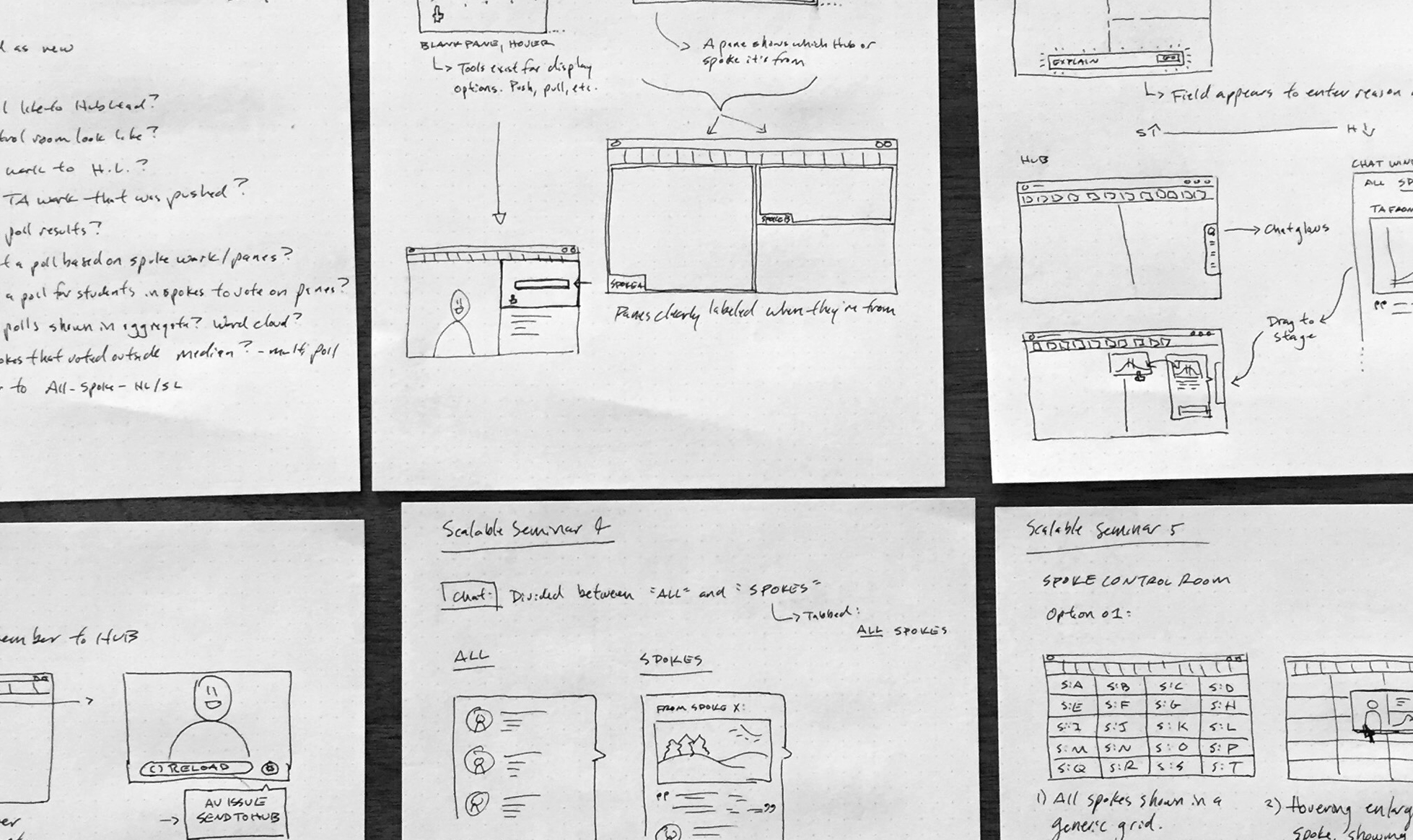
Just enough detail here to explore the problem space and design directions with the team so we could make smart bets on what and what not to build and why.
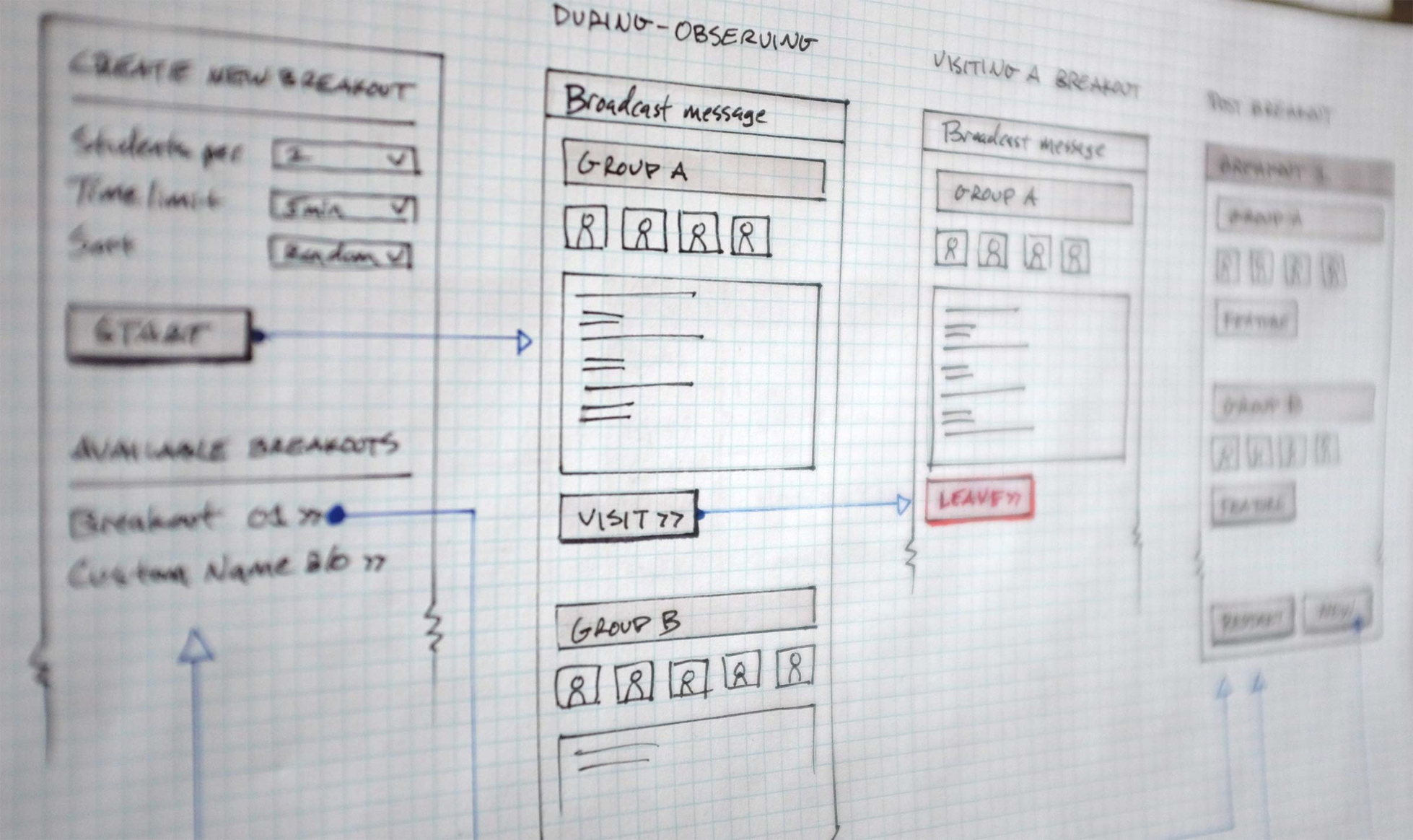
We wanted to be strategic about what we focused the team on when building. Small team breakout groups were one of the activities that might make a big impact.
With the core team, I explored different design directions in order to rough-out and consider the work we might want to do. That way we could address the risks & gains of what we might build and why. For example, we weren't sure of the technical limitations of the number of video feeds displayed at once and whether or not this was needed. In the end, we decided to focus on a few key features.
Problem 1: Just enough facetime
The software was originally designed for classes with less than 25 students and displayed all video feeds across the top of the screen. How would we offer access to all 400 students video feeds without overwhelming? We wanted to somehow present different subsets of the entire class for the professor to view as an audience and call on.
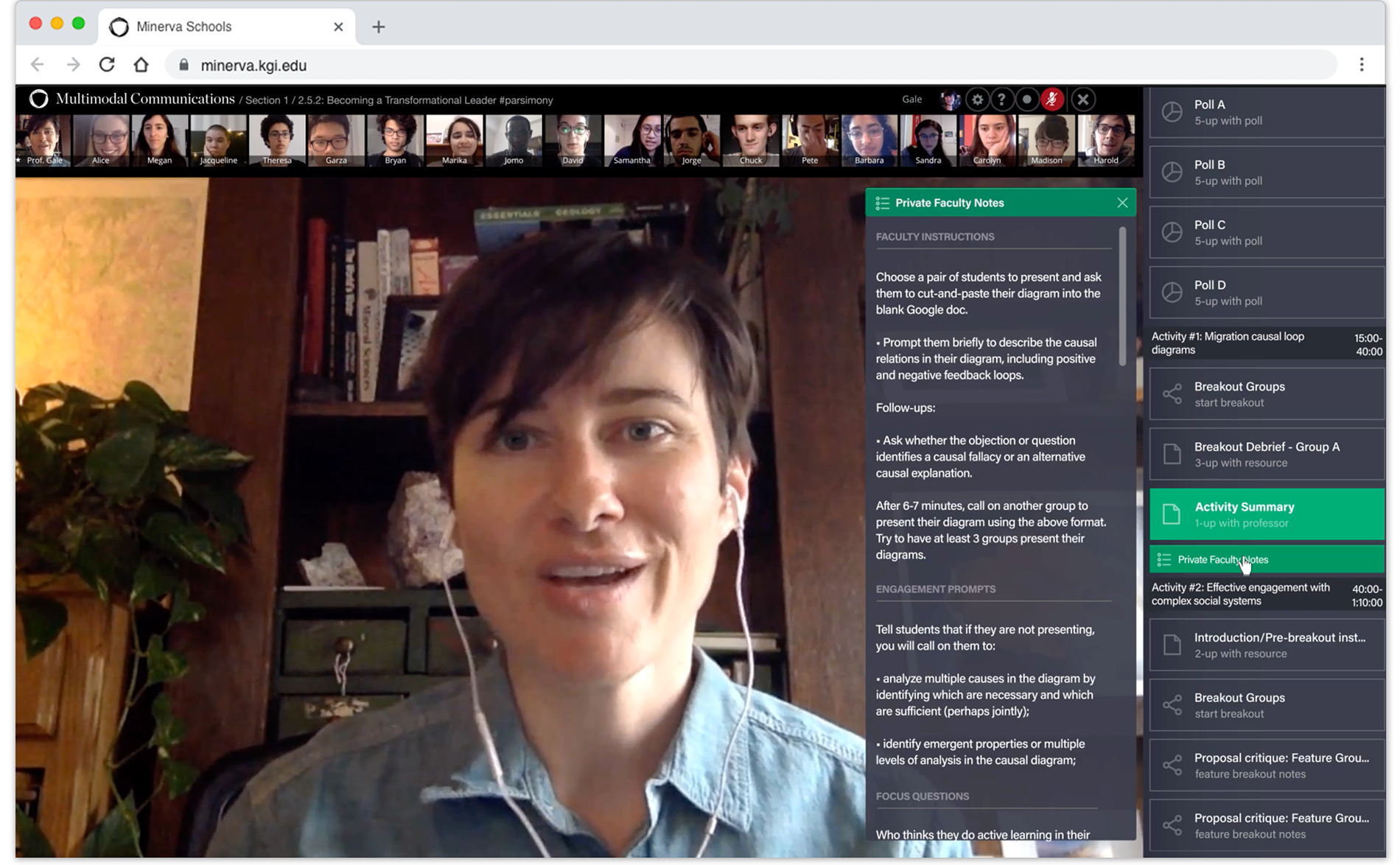
Old way: Video feeds from each student across the top of the screen
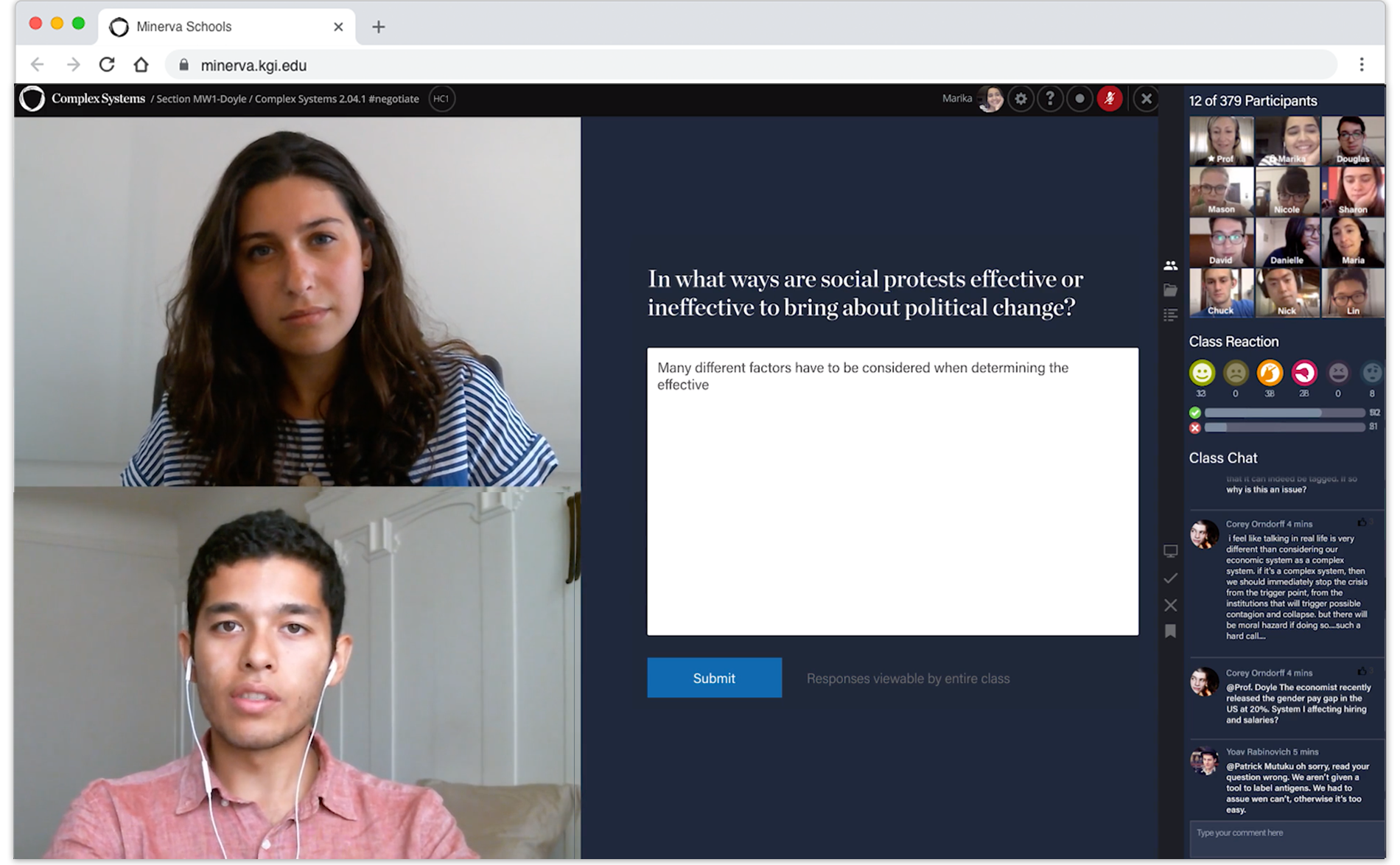
New way: With up to 400 students we can only show a few video feeds at a time.
Problem 2: How can the instructor be everywhere at once?
During breakouts, the system divides the larger class into small groups to work on collaborative activities. The professor pops into each class to help out or observe how things are going.
When instructors divided the class into less than a dozen breakout groups for collaborative activities, they could easily track progress of all groups at once. For instance— which students are most engaged in the conversation and which might need more help understanding. We weren't sure whether we could make this work with as many as 200 groups.
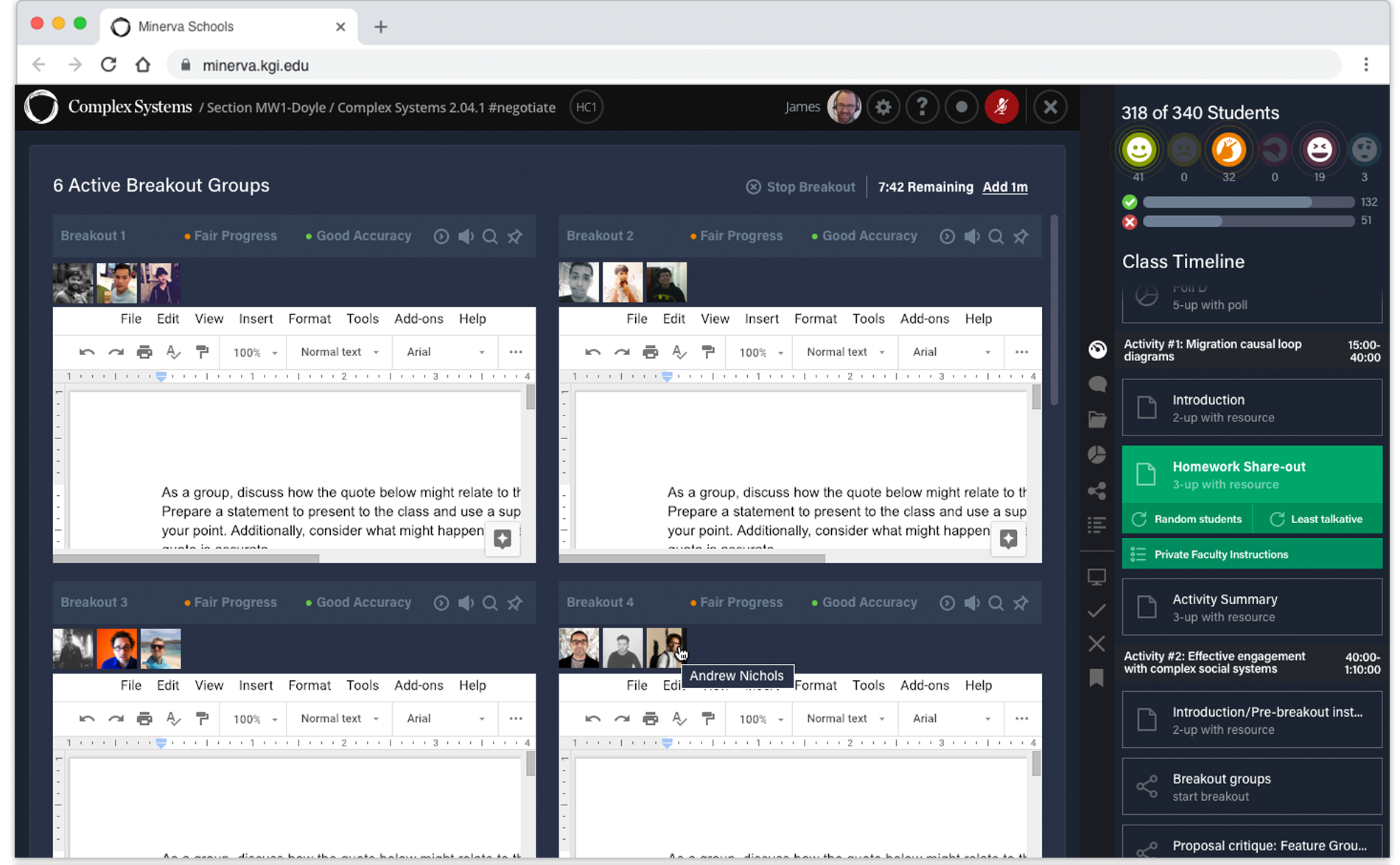
Old way: Just a few small groups. Instructor observes all collaboration at once by scrolling.
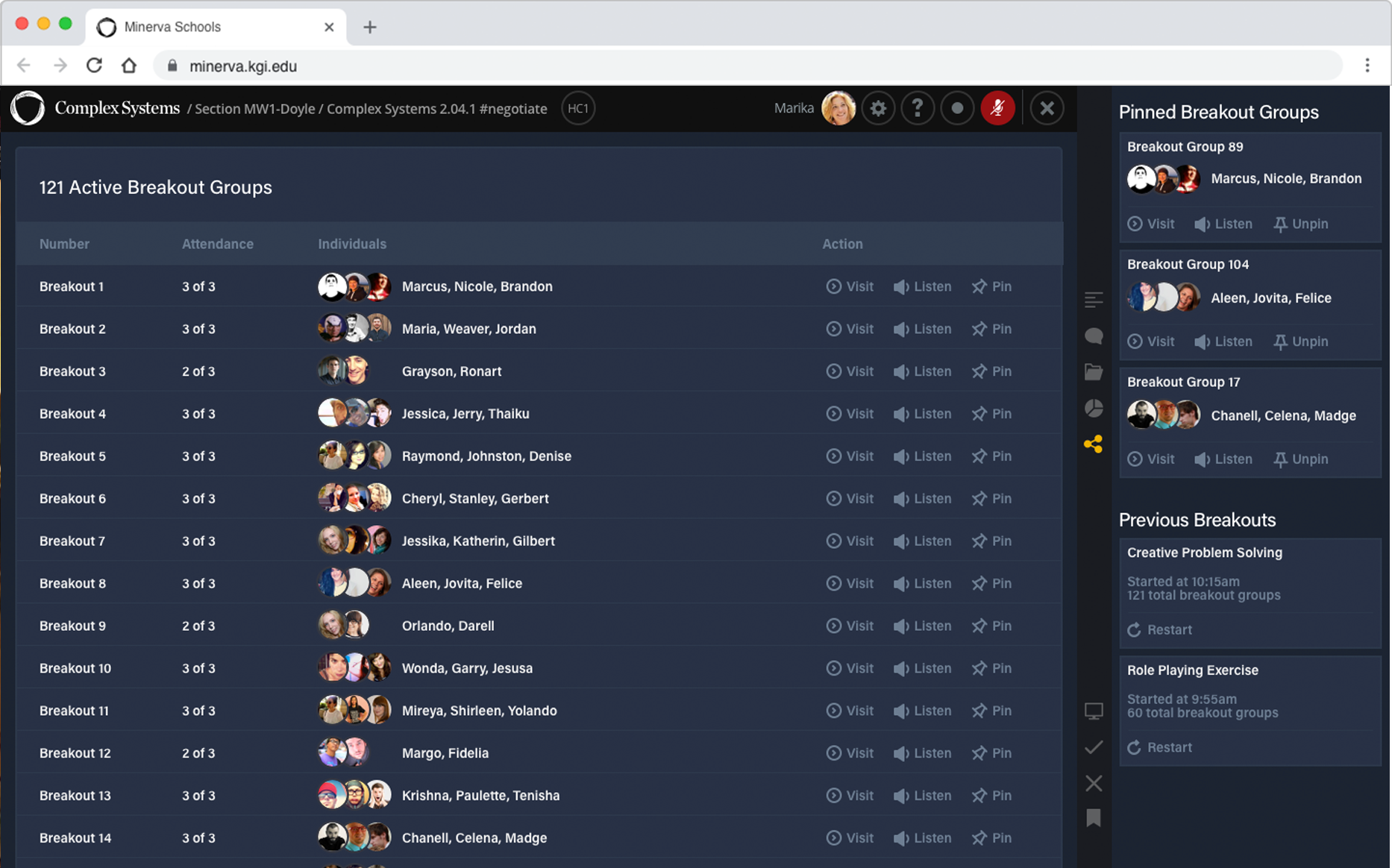
New way: As many as 200 groups. Instructor has high level view of performance. Instructor decides which groups to observe.
Success metrics
Now that we had a good idea of the problems we were trying to solve and where to start, an engineer lead, the PM and I met with the team to get aligned on what a successful outcome would like and how to go about measuring it.
Engagement metrics
If we were successful, then metrics on engagement per student such as talk time and active collaboration would be just as high in the new context with larger class sizes as our historical data with smaller class sizes.
High opt-in rates
We wouldn't be requiring current customer with small class sizes to opt into the new toolset. If we asked them to try the new toolset and many of them decided to switch, this would indicate we were successful in making the new tools easier to operate.
Sample lessons
During orientation and prospective visits new faculty and students test drive the software. We used surveys and tracked a number of questions including net promoter scores. We should a/b test the new tools and also compare against historical data to see how the tools rated. Even a slightly lower score would be a huge success given that we the goal was to scale up the software to much larger class sizes.
Designing the solution
Before jumping into mocks, I worked with my PM to set things up so that we could begin to test our new prototypes at full scale. We hatched a plan where volunteers would teach and take sample lessons biweekly. I started cranking on mocks and prototypes while my PM set up sessions to review with stakeholders.
Prototyping: An instructor observes each group.
Step 1: Instructor scans groups to see which need help.
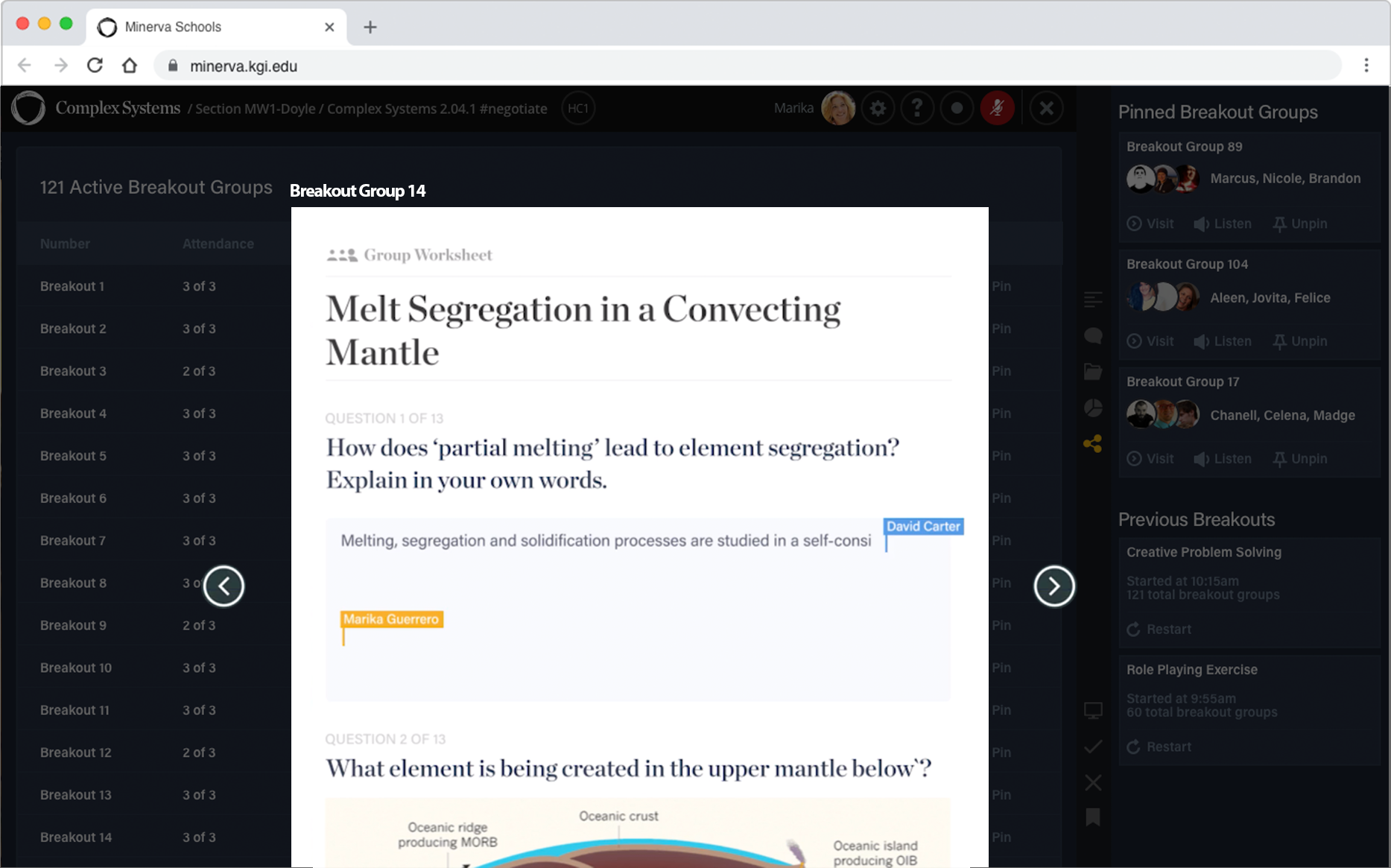
Step 2: Instructor can preview a groups and listen in.
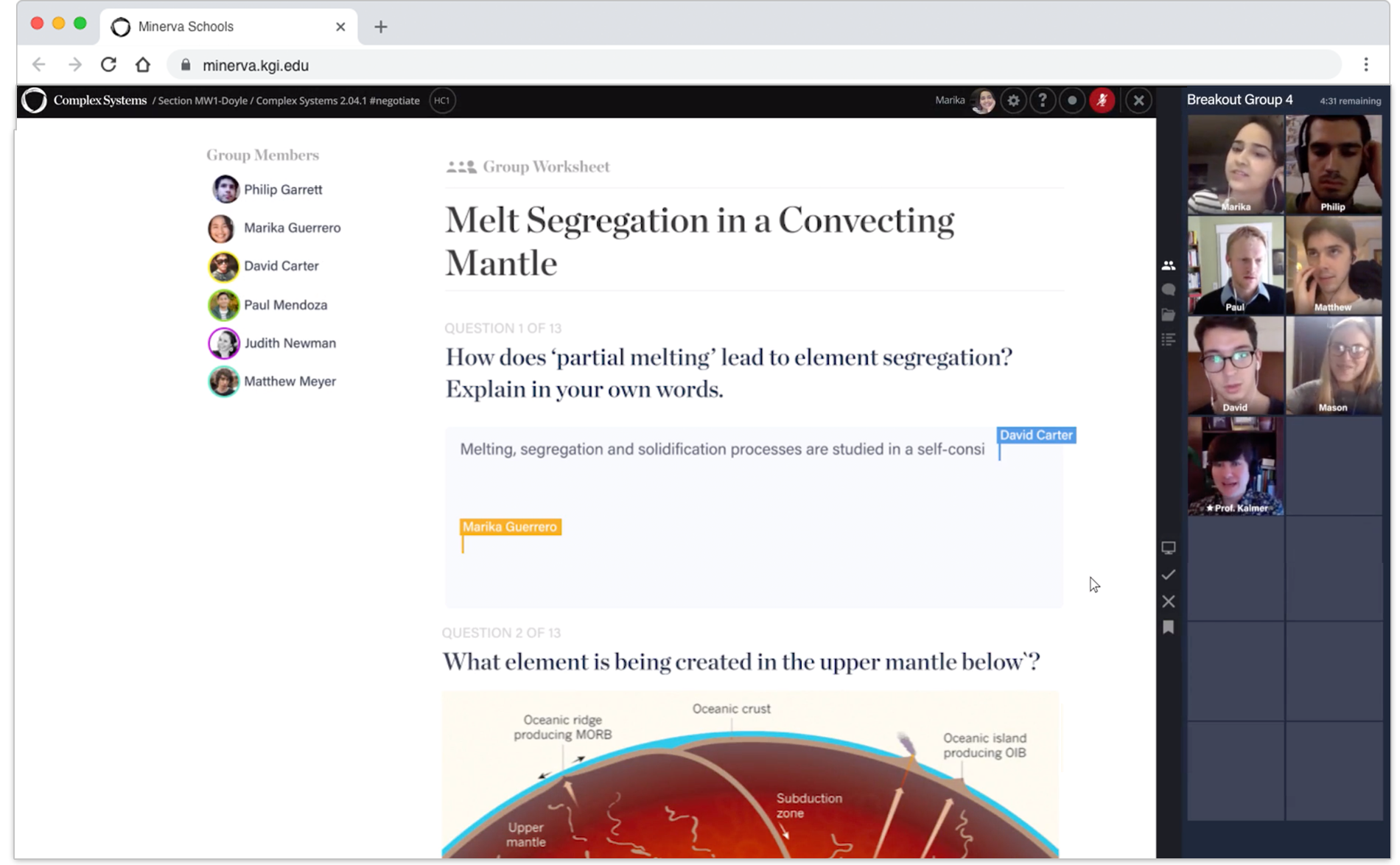
Step 3: From preview, instructor can enters group as a participant.
After reviewing the prototype with stakeholders, we felt confident they would be able to observe groups easily enough. The bigger problem was that they were short on time and couldn't get to everyone. So many groups! Even without time constraints, they weren't sure which group to start with. So we decided to iterate on some ideas to surface more high level insights about group performance.
I huddled with the core group to discuss information we could surface and get a better idea of how much back end work might be involved. I tried a few variations and iterated on new ways to roll up group activity such as talk-time or progress so instructors could make better decisions on which groups to pop in on and observe and have a better awareness without visiting at all.
Variation 1: A list of each group. Instructor can listen in, bookmark or visit.
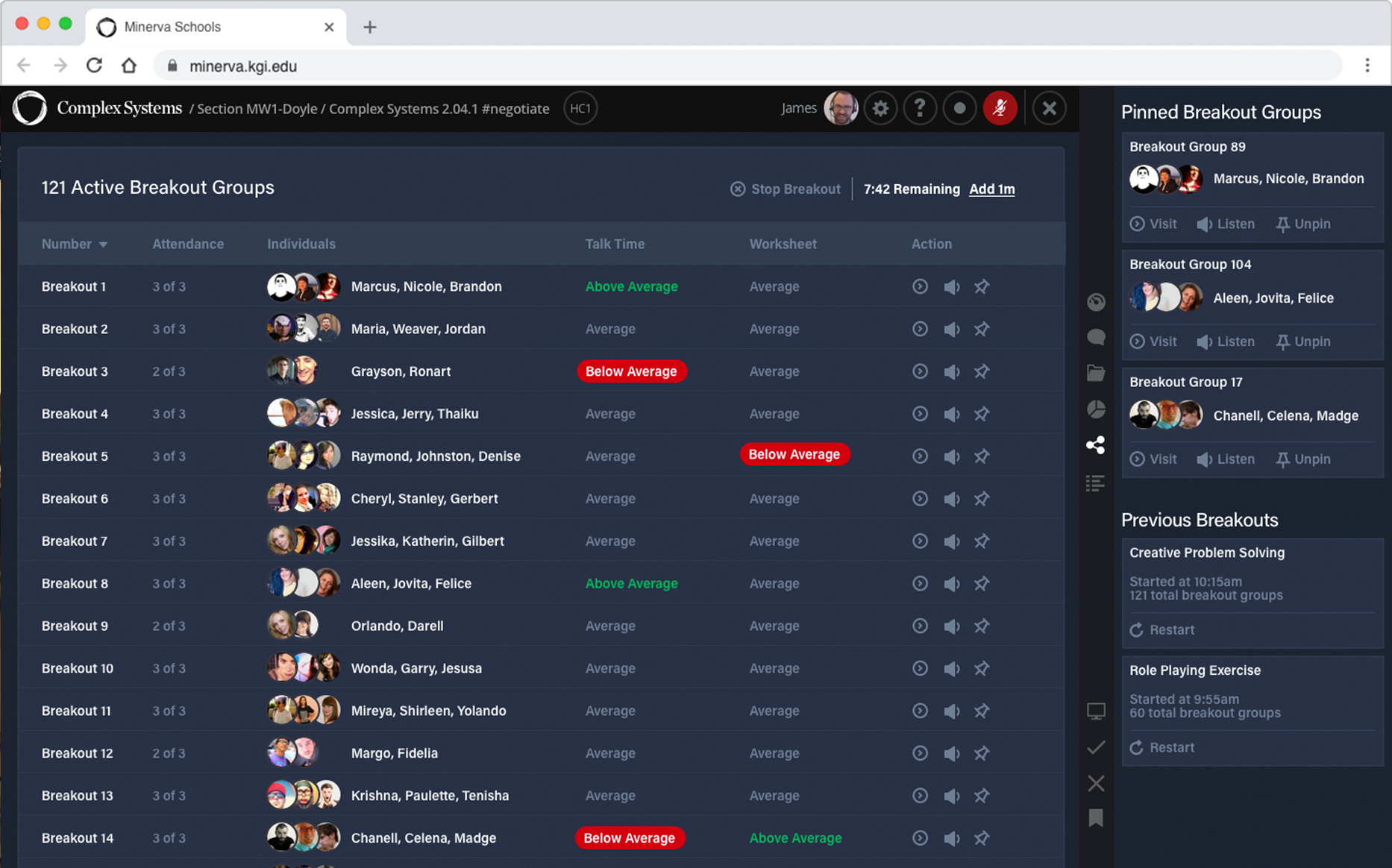
Variation 2: Worksheet progress and talk distribution. Unexpected states are called out.
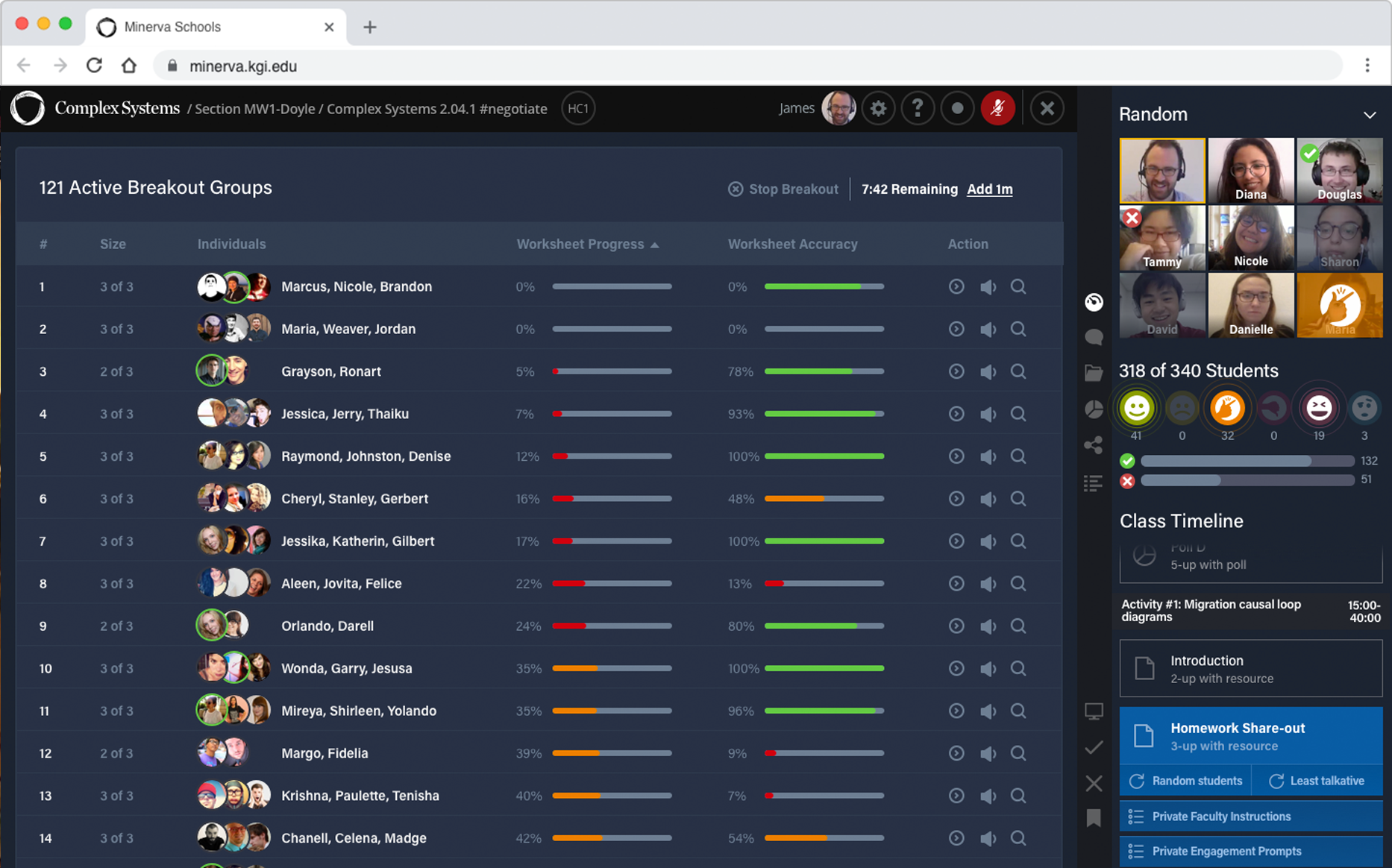
Variation 3: Granular detail for workshop progress & correctness.
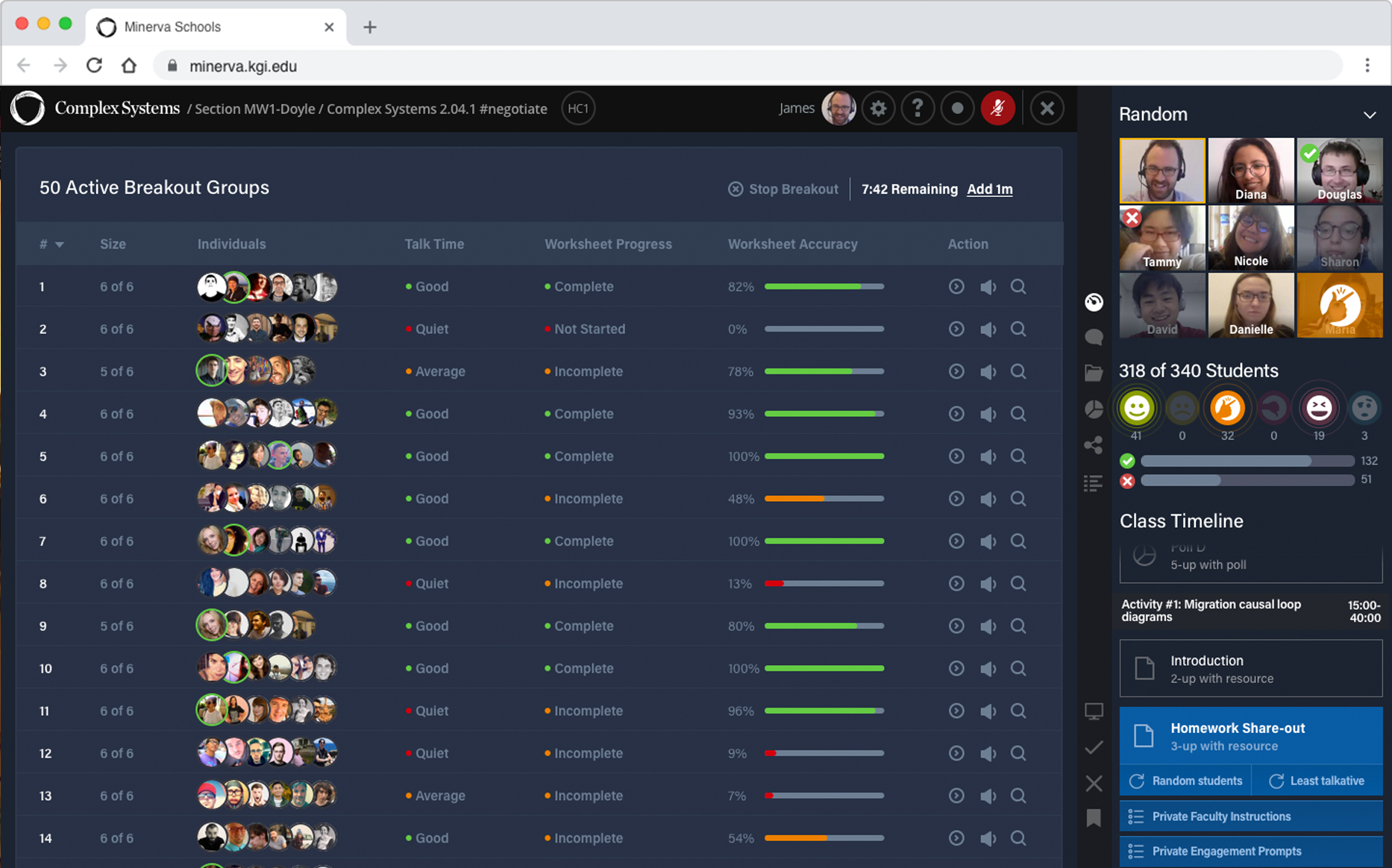
Variation 4: Progress & talk time is scored. Granular detail for workshop accuracy.
We iterated on new ways to roll up group activity such as talk-time or progress so instructors could make better decisions on which groups to pop in on and observe and have a better awareness without visiting at all.
We added a feature to bookmark groups. This would be useful later during large class discussion. Once we were in a good place the team started working on implementation details for the breakouts, I worked with my PM to shift focus to the larger classroom experience and get ahead of things with the mocks.
Once we were in a good place the team started working on implementation details for the breakouts, I worked with my PM to shift focus to the larger classroom experience and get ahead of things with the mocks.
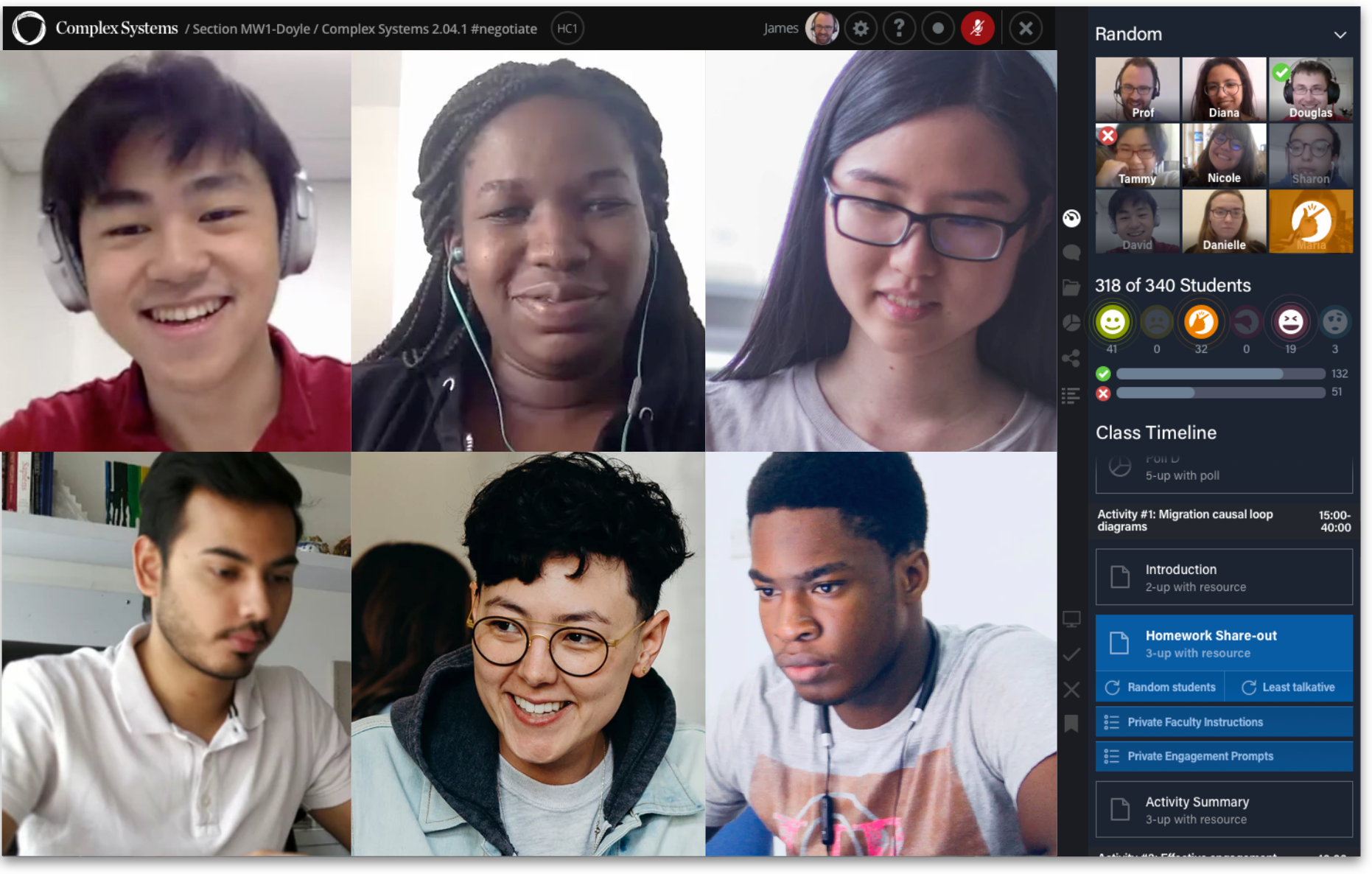
By default the system displays a group of students the professor hasn't yet seen.
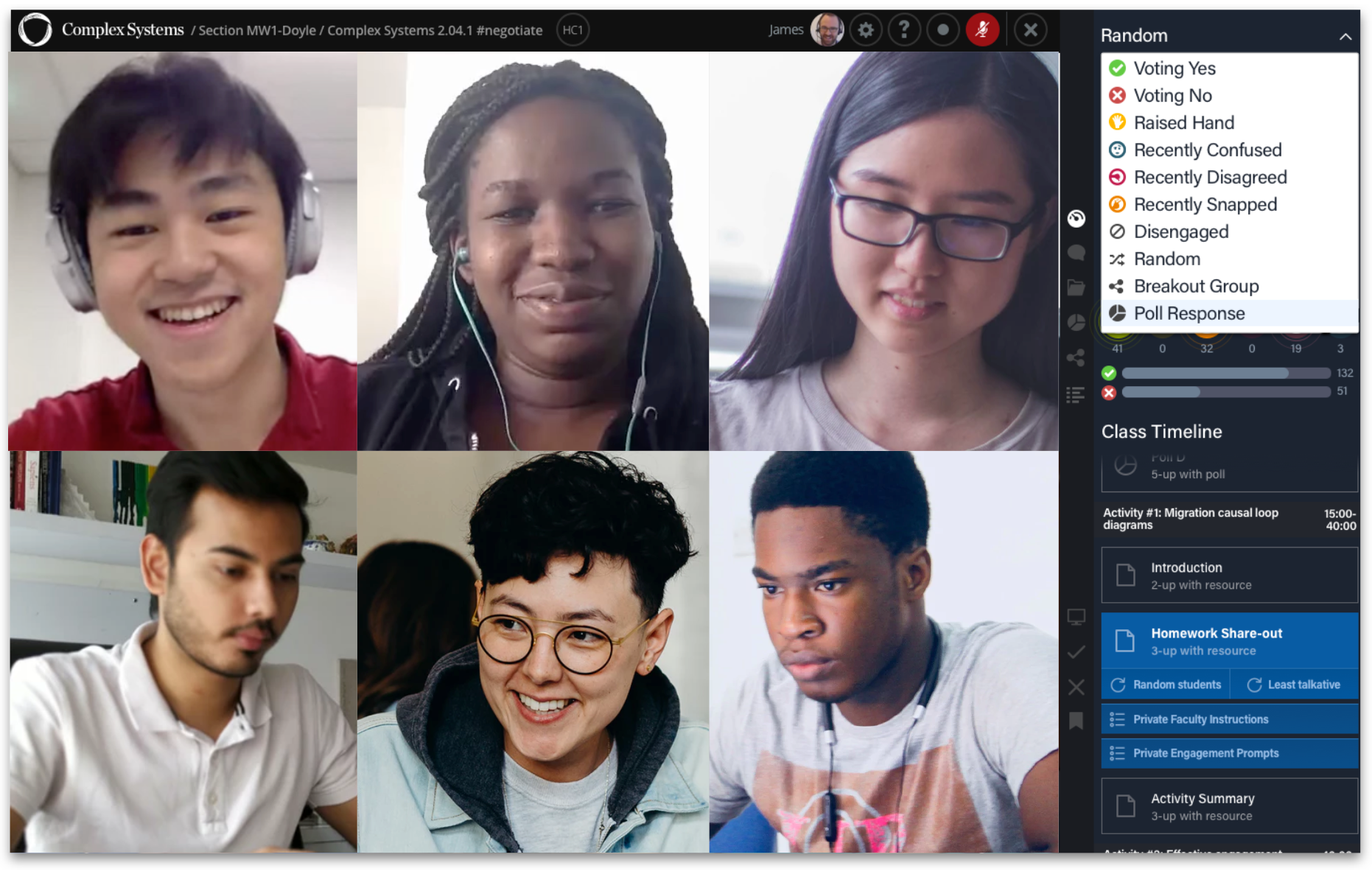
Step 1: Professor clicks to filter by poll response.
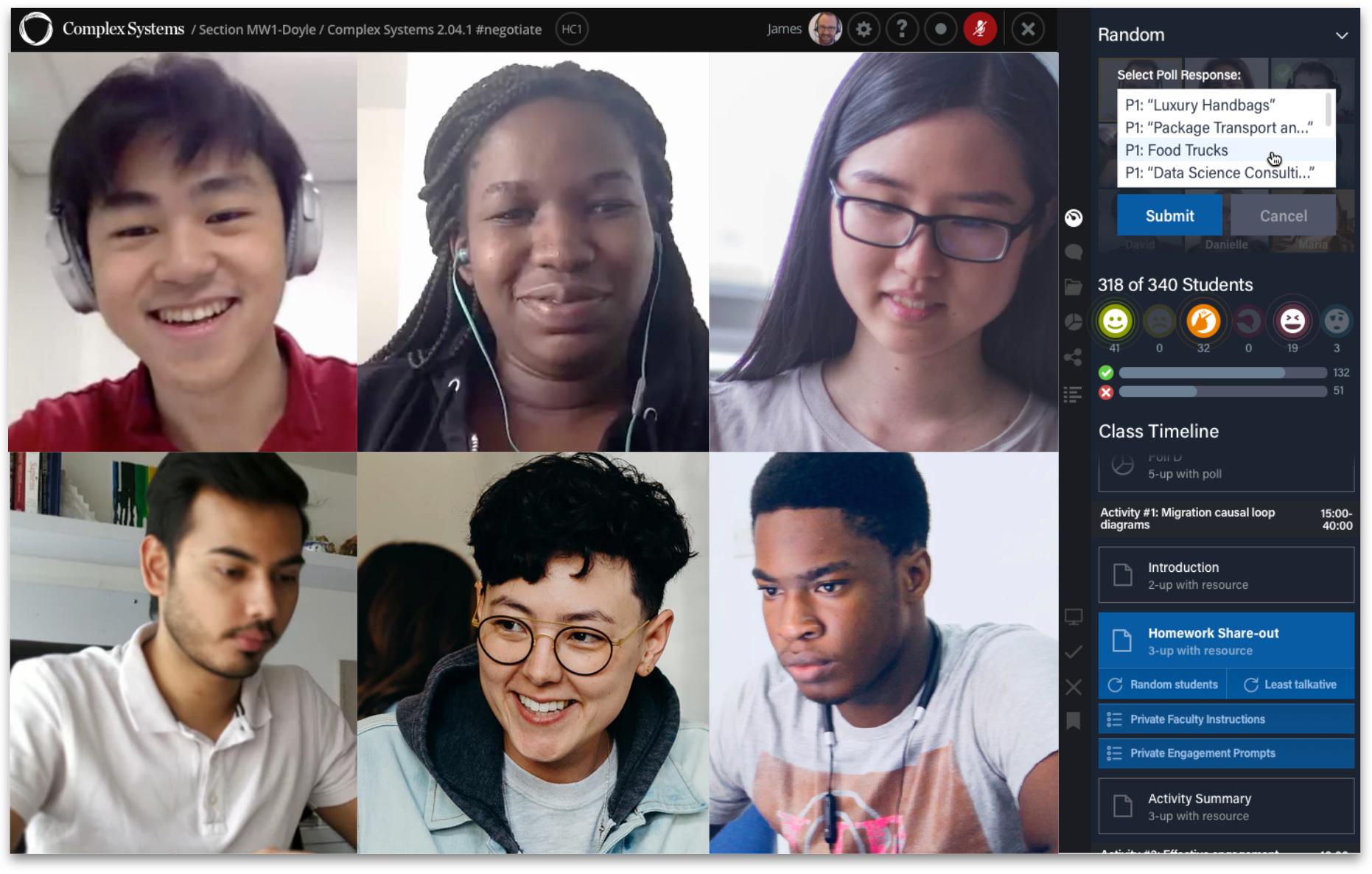
Step 2: Professor groups by a particular response.
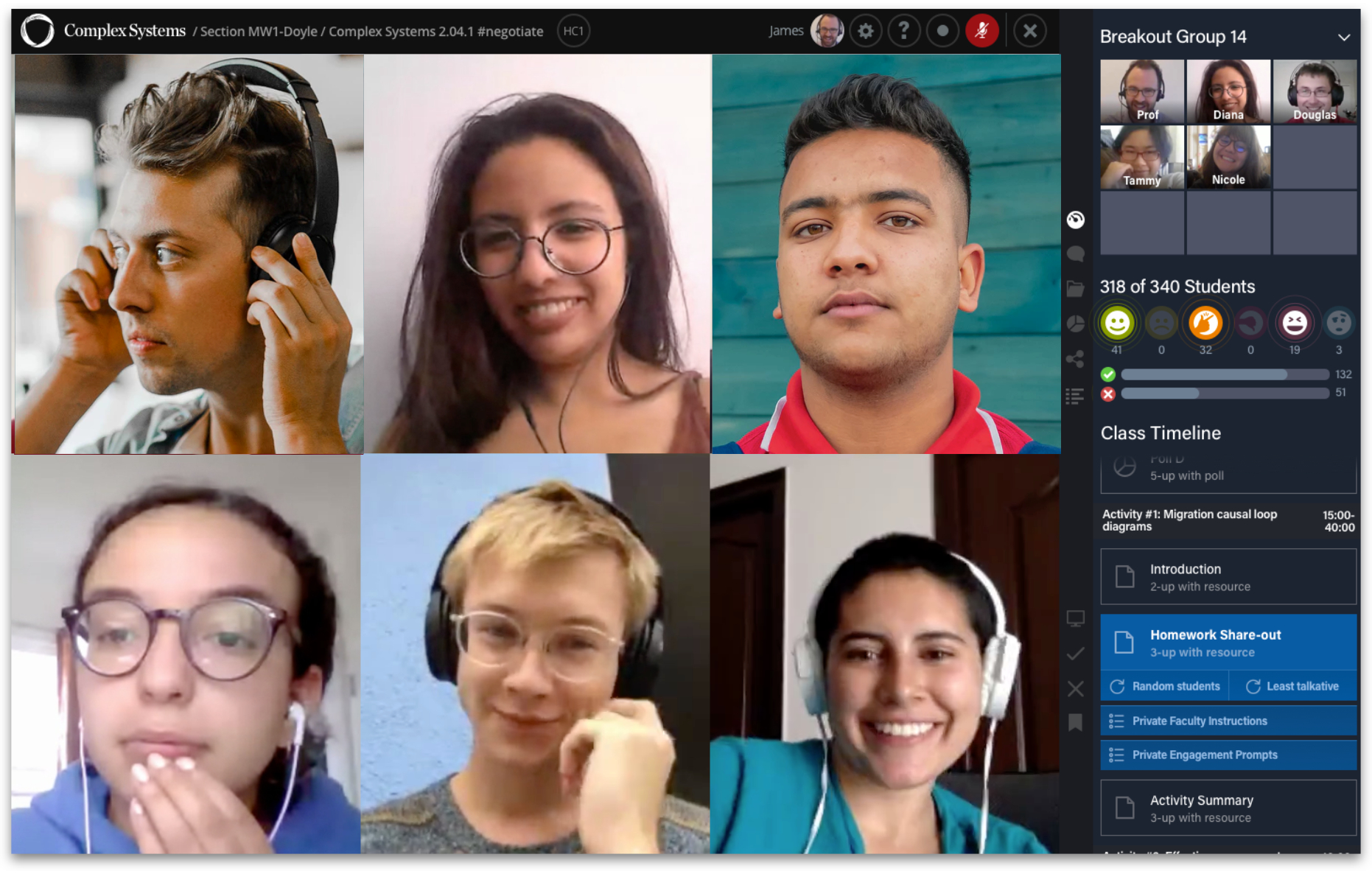
Step 3: The students who chose food trucks are available for discussion.
In the contextual interviews with stakeholders we identified some reasonable default grouping options such as recent voting, poll response, or a breakout group. I reviewed the prototypes with stakeholders and engineering so we could begin to plan the work for the next six week build cycle.
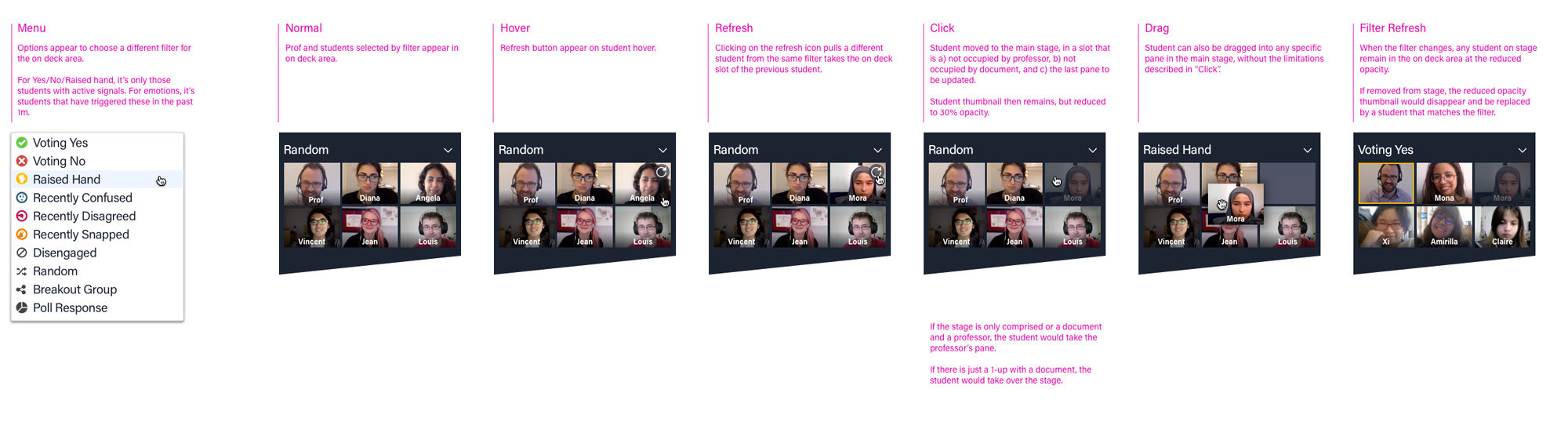
Some reasonable defaults for grouping students. Customers would be able to customize this.
While planning the next build cycle, I wanted to get ahead of things and started to prototype out some of the finer motion and animation details. Such as an interaction to shuffle in new students of a particular category into the group and main discussion space.
While the team was working on implementation details, I spent some of my extra time reviewing recorded test sessions and prototyping demo videos using keynote that I shared with the business developement team.
Prototyping motion and animations for interaction so instructor can shuffle in new students and add to the discussion space.
Student view of breakout group work & instant poll with full class.
Instructor previews and enters a breakout group.
We shipped an early version in time so that new faculty and students could teach sample lessons on the new platform during orientation and prospective student visits.
Outcome
In a/b tests during sample lessons the new version got much higher NPS scores and better survey results. This was true for smaller class sizes, even though the software was optimized for large class sizes. 100% of our classes opted in to the new interface. This was much higher than we hoped for and the engagement metrics were just as high.
Within two months of shipping the redesign, the sales team begin signing deals with partner universities including the fastest growing university in the world and the the top ranked private university in India as announced in this April 2019 article. After that, Minerva signed 20+ new corporate & university partners, increasing annual recurring revenue by 4x.
What I learned
Looping in the sales team to watch the demo video and begin talking to leads turned out to be a super valuable form of feedback. It might have been nice to create a draft of the demo video while we were still prototyping as a way to get feedback from potential customers.
There were some small, but important things I learned as well. I created a top alert bar to notify students when the instructor was listening in. But in hindsight it was the wrong design pattern to use. The offline equivilent would be a teacher strolling around the room pausing to listen in and show they were available for questions. But the design pattern of an alert conveyed too much urgency and alarm. I didn't notice this problem when testing with current users because they were used to instructors doing this. But new students were concerned. The larger lesson for me was to not only rely on testing for validation but to think more conceptually about design patterns and what they convey.
A 1 minute case study on SRM university. The first customer and success story of this project.
More Case Studies